Skip to content
Free Games • Deals • Store Claims

Free Games Tracker

Track current free games, claim windows, store pages, and useful next steps before an offer disappears.

6

Current listings

0

Ending soon

Multi-store

Tracker focus

Safe

Store-first checking

Best free pick right now

Fortnite

A useful free pick when you want an active multiplayer game without waiting for a limited-time claim window.

Check current store page

Claim calendar

Check active windows, ending-soon offers, free weekends, and claim deadlines in one place.

More low-cost games

Compare current PC deals when a free game is not the right fit or the claim window has ended.

Match deals to your setup

Use your hardware as a filter before installing large games or choosing your next download.

Steam Free Games

Track Steam-focused free games and PC offers.

Epic Free Games

Follow Epic Games Store freebies and claim windows.

GOG Free Games

Follow DRM-free freebies and PC claim windows when available.

Game Pass & Plans

Compare subscription paths when you want more games to play.

Active tracker

Free Games You Can Check Now

More active deals
Epic GamesFree to playTop pick

Fortnite

Score
99
Fortnite free game listing

Fortnite is a permanent free-to-play option with battle royale, creator-made islands, live events, and regular seasonal updates.

Price
Free to play
Deadline
Check current availability
Platform
PC, PlayStation, Xbox, Nintendo Switch, Mobile
Strong free pick

A useful free pick when you want an active multiplayer game without waiting for a limited-time claim window.

Why it stands out
  • Currently listed as available
  • Free to check or claim while the window is active
  • Featured for quick review
  • Store or deal source available
Free-to-playBattle RoyaleMultiplayerEpic Games

Check the current store page before claiming because availability can vary by region, account, and time.

SteamFree to playTop pick

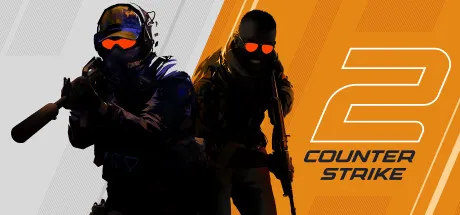
Counter-Strike 2

Score
99
Counter-Strike 2 free game listing

Counter-Strike 2 is a free-to-play tactical shooter built around round-based competition, ranked matches, and long-term skill progression.

Price
Free to play
Deadline
Check current availability
Platform
PC
Strong free pick

A strong free PC pick if you want a competitive shooter that remains active every day.

Why it stands out
  • Currently listed as available
  • Free to check or claim while the window is active
  • Featured for quick review
  • Store or deal source available
Free-to-playShooterCompetitiveSteam

Check the current store page before claiming because availability can vary by region, account, and time.

SteamFree to playTop pick

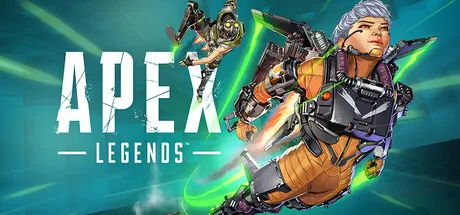
Apex Legends

Score
99
Apex Legends free game listing

Apex Legends is a free-to-play squad shooter with rotating legends, seasonal updates, and fast competitive matches.

Price
Free to play
Deadline
Check current availability
Platform
PC, PlayStation, Xbox, Nintendo Switch
Strong free pick

Worth checking if you want a polished shooter with no upfront cost and regular live-service updates.

Why it stands out
  • Currently listed as available
  • Free to check or claim while the window is active
  • Featured for quick review
  • Store or deal source available
Free-to-playBattle RoyaleShooterSteam

Check the current store page before claiming because availability can vary by region, account, and time.

SteamFree to playTop pick

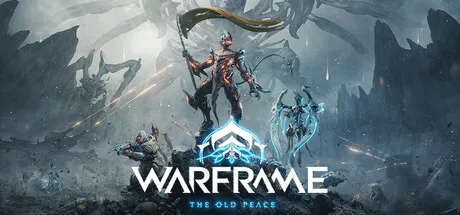
Warframe

Score
99
Warframe free game listing

Warframe is a free-to-play action RPG with co-op missions, fast movement, crafting, and a huge amount of long-term progression.

Price
Free to play
Deadline
Check current availability
Platform
PC, PlayStation, Xbox, Nintendo Switch
Strong free pick

A strong free pick if you want a co-op game with plenty to unlock without paying upfront.

Why it stands out
  • Currently listed as available
  • Free to check or claim while the window is active
  • Featured for quick review
  • Store or deal source available
Free-to-playAction RPGCo-opSteam

Check the current store page before claiming because availability can vary by region, account, and time.

SteamFree to playTop pick

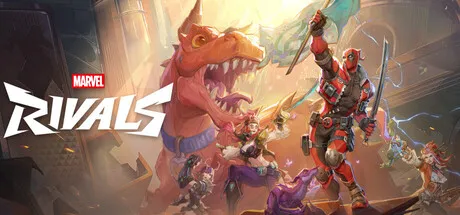
Marvel Rivals

Score
99
Marvel Rivals free game listing

Marvel Rivals is a free-to-play team shooter with hero abilities, objective modes, and fast multiplayer matches.

Price
Free to play
Deadline
Check current availability
Platform
PC, PlayStation, Xbox
Strong free pick

A useful free pick if you want a team shooter with recognizable characters and quick sessions.

Why it stands out
  • Currently listed as available
  • Free to check or claim while the window is active
  • Featured for quick review
  • Store or deal source available
Free-to-playHero ShooterMultiplayerSteam

Check the current store page before claiming because availability can vary by region, account, and time.

SteamFree to playTop pick

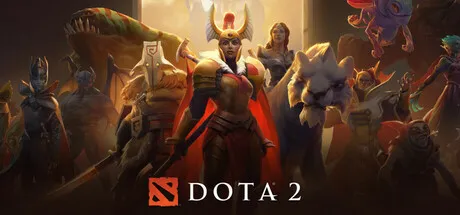
Dota 2

Score
99
Dota 2 free game listing

Dota 2 is a free-to-play MOBA with deep hero strategy, ranked matches, and one of PC gaming's most active competitive scenes.

Price
Free to play
Deadline
Check current availability
Platform
PC
Strong free pick

Best for players who want a deep free game with a high skill ceiling and long-term replay value.

Why it stands out
  • Currently listed as available
  • Free to check or claim while the window is active
  • Featured for quick review
  • Store or deal source available
Free-to-playMOBACompetitiveSteam

Check the current store page before claiming because availability can vary by region, account, and time.

Safe claiming reminder

Always check the current store page before claiming

Free game windows can change by region, time, and store rules. Open the current store or deal source first, then compare related games, deals, and next picks before spending time or money.

Compare Deals

New verified access view

See what is free to keep, temporary, a demo, or DLC

Game Access Intelligence currently shows 1 verified game with official images, store links, region checks and claim deadlines.

Open verified game access

Quick answer

Check free games before you claim

Use Primvo free-game pages to find claim windows, store context, platform notes, and safer next steps. A free game can still require account, region, storage, platform, and timing checks before you add it to your library.

Check first

  • Confirm the store page, platform, account requirements, and claim deadline.
  • Check whether the listing is free-to-keep, free-to-play, a demo, or a limited trial.
  • Check PC requirements before downloading a large game.

Avoid first

  • Do not click fake giveaway, generator, or login pages pretending to be free-game offers.
  • Do not assume an old claim window is still active.
  • Do not skip region, age-rating, or platform notes when an offer matters to your account.

Primvo highlights useful free-game paths, but the final claim decision should be confirmed on the relevant store or platform page.

Claim decision path

Claim safely, then compare what to play next

A free game is useful when the claim window is active, the store page is safe, the platform fits, and the game is something you may actually play.

Decision rule

Claim when the source, platform, account, and deadline are clear. Skip suspicious links and compare paid alternatives when the free option does not fit.

Check first

  • Store/source page
  • Claim deadline
  • Account requirements
  • Platform and PC fit
  • Offer type

Confirm the final claim page, deadline, account requirement, and platform before adding a game to your library.

Buy when

  • The free window ended and you still want the game
  • A paid edition adds value
  • A deal beats waiting

Wait when

  • The free offer is not for your platform
  • You only want to collect it
  • A better deal may fit later

Skip when

  • The link asks for unsafe login steps
  • The offer type is unclear
  • Your device cannot run it
Claim smarter

Turn free-game windows into safer decisions

Use this path when a free game looks interesting but you still need to confirm the store page, claim window, platform, account requirements, and whether your PC can run it.

Freshness note

Free-game windows move quickly. Confirm final claim timing on the relevant store page before acting.

Use alerts only for games and topics that matter to you.

Check first

  • Claim window and store page
  • Free-to-keep vs trial or free-to-play
  • Platform and account requirements
  • PC fit for large downloads

Avoid first

  • Fake giveaway pages
  • Old claim windows
  • Downloads from pages you do not trust
Claim reminder path

Save free-game windows without trusting random giveaway links

When a free game looks useful, check the claim type, store page, platform, and PC fit. Then use reminders only for offers worth revisiting.

What this saves

Free-to-keep windows
Free weekends
Store claim reminders
PC-fit checks before downloads

Primvo can help you remember free-game windows, but the store page is the final source for the claim.

1

Decide what matters now

Start with the game, deal, claim window, or subscription change you actually care about.

2

Save the right next step

Use alerts, the digest, or your saved list so you can return when the timing is better.

3

Recheck before you act

Prices, libraries, and claim windows can change, so confirm the final details before buying, claiming, or downloading.

Safe reminder rules

  • No copied giveaway links that ask for passwords or codes
  • No assumption that an old claim window is still active
  • Store, platform, and account requirements should be checked before you claim

Alerts and digest choices are guidance for return visits. Always recheck fast-changing offers, claim windows, and subscription libraries before spending money or sharing account details.

Claim safely

Check the store, deadline, and platform before claiming

Free game offers can change by region, store, platform, and time window. Use this page to confirm what is active, how long it is available, and what to play next when a claim window ends.

  • Open the official store page before claiming or installing.
  • Check the deadline and region notes when an offer is ending soon.
  • Use the calendar and deal pages when the current free pick is not the right fit.

Start here

Claim free games only after checking the store path and timing

Use the free games tracker to review active claim windows, store context, related free-weekend paths, and safer next steps before you sign in, download, or miss an offer window.

Connected topics

Free gamesClaim windowEpic GamesSteamGOGFree weekends

Free game next steps

Claim safely, then keep useful low-cost options nearby

Use free-game trackers with store-aware checks, claim windows, free weekends, and safer link checks before signing in or downloading anything from a reward page.

Do not treat third-party reward links as safe just because they mention a free game. Check the store path first. Affiliate disclosure

Free game claim guide

Claim free games safely and compare what to play next

Before claiming a free game, check the official store, account requirements, platform, deadline, and whether the game fits your library.

Check before you continue

  • Open only the official store or trusted launcher page when signing in or claiming.
  • Check the claim window, platform, launcher, and whether extra subscriptions are required.
  • Use free-game pages as discovery, not as a reason to install files from unknown links.

Offer windows and account requirements can change. Verify the claim page first.

Claim path

Claim free games only after checking the details

Free offers still need the right checks: store, platform, region, claim window, account requirements, and whether the game is worth keeping for your setup.

Check active free gamesReview current free game windows and the next step for each listing.

Start with the page that matches your intent.

Use a tool or comparison before you buy, download, or wait.

Return to search when you need a specific game, error, or deal.

Primvo Daily Digest

Never miss a useful free game window

Get free game alerts, claim reminders, free weekends, and store picks before the offer disappears.

Useful picks only

News, deals, free games, updates, and reminders selected for quick action.

Built for daily readers

A cleaner way to keep up when games, subscriptions, and store offers rotate fast.

Easy to change later

Start with the topics you care about. Future alerts can expand from this foundation.

Choose your updates

3 digest options selected

No spam. Unsubscribe anytime from any email. By signing up, you agree to receive the selected Primvo email updates and can review our Privacy Policy and Terms.

Claim safety path

Confirm the claim window before you add anything

Free-game pages should help players check the source, deadline, platform, account requirements, and safer next steps before claiming.

Check before acting
  • Open the store page and confirm whether the offer is free-to-keep, free-to-play, a trial, a demo, or a free weekend.
  • Check the claim deadline, platform, region, account requirements, and download size.
  • Check suspicious giveaway links before logging in or connecting an account.
Safer next steps
  • Use the calendar to avoid missing real claim windows.
  • Check PC fit before downloading a large game.
  • Use deal pages when the free window is gone or not right for you.

Primvo helps organize claim decisions. The store or platform page is the final place to confirm the current offer.

Claim reference

Use free-game calendars to plan claims safely

A strong free-game calendar helps players compare claim windows, free weekends, demos, account requirements, PC fit, and suspicious link risk.

Why this page is useful to reference

Use this resource when sharing current or upcoming free-game windows, especially when readers need store confirmation and safety checks.

The store page is the final source for the claim type, region, platform, and deadline.

Freshness context

Readers get a reminder to recheck fast-moving prices, service libraries, claim windows, and outage signals before relying on them.

Safer action rules

The page separates what to check first from what to avoid first, especially around downloads, account details, and urgent deal language.

Decision path

Each resource points to a useful next step such as check status, search a code, compare value, save an alert, or verify a claim window.

Good reasons to share or revisit

  • Easy to revisit around weekly claim windows
  • Connects claims with safety and PC-fit checks
  • Useful for reminders without pressure language

Claim windows are fast-moving. Confirm final timing and platform rules on the relevant store page.