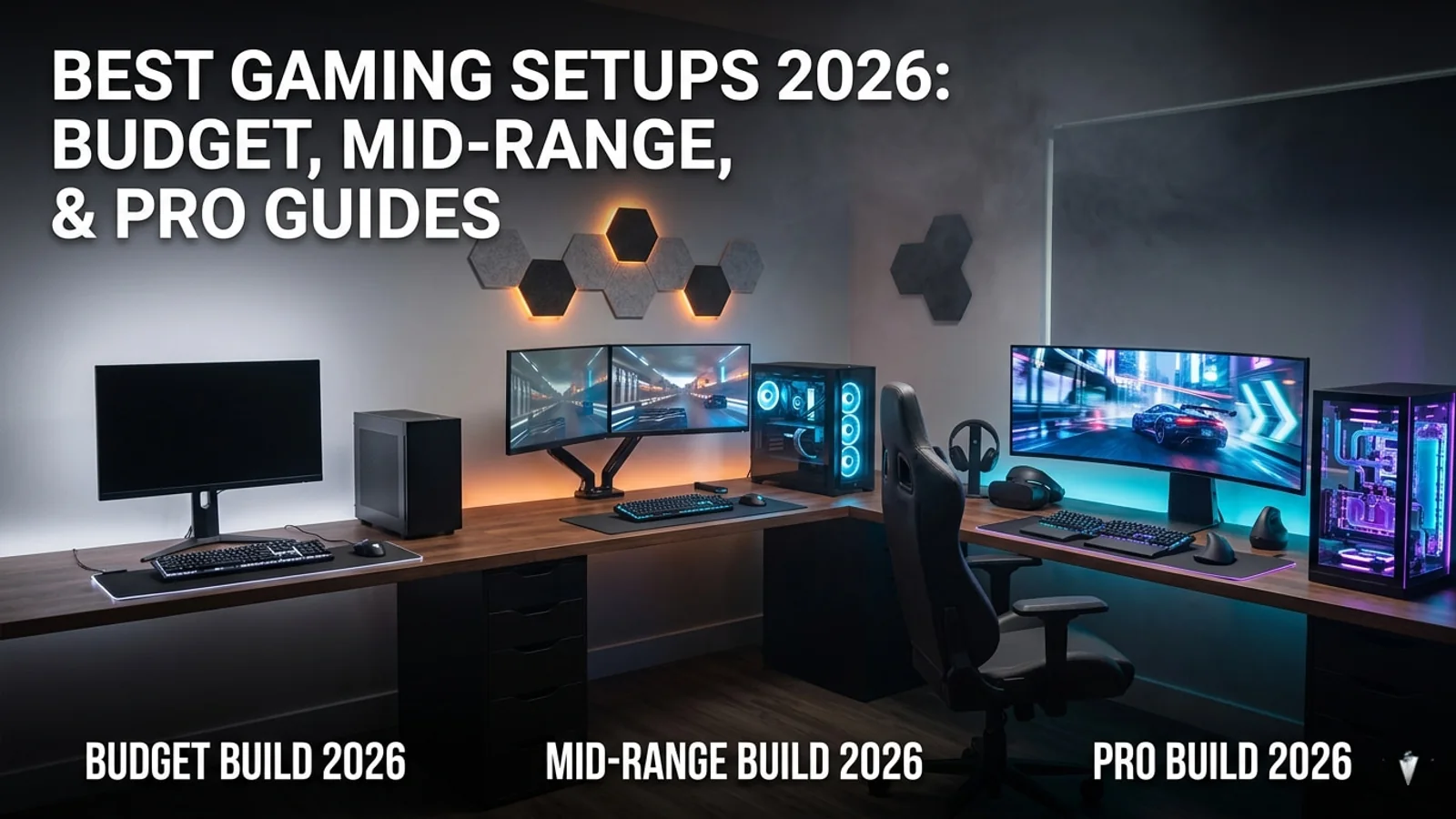
Best Gaming Setup Guide 2026: Budget, Mid-Range, and Pro Builds
This 2026 gaming setup guide helps players choose the right monitor, headset, controller, chair, desk, security tools, and accessories for every budget.
Find gaming accessories, gift cards, security tools, and setup upgrades for a better PC or console gaming experience.
Best Gaming Setup Guide 2026: Budget, Mid-Range, and Pro Builds
Building a good gaming setup in 2026 does not mean buying the most expensive gear first. The best setup is the one that matches how you actually play. A competitive shooter player needs low latency and a fast display. A cozy gamer may care more about comfort, audio, and a relaxed desk space. A streamer needs clean audio, stable internet, and enough room for recording gear.
This guide breaks down the best gaming setup choices by budget, playstyle, and upgrade priority so you can spend money where it actually improves your experience.
What Makes a Good Gaming Setup in 2026?
A strong gaming setup is not only about the PC or console. It is the full environment: display, audio, controls, desk, chair, lighting, internet, storage, and account security.
The goal is simple: make your games look better, feel smoother, sound clearer, and stay comfortable for longer sessions.
Core Setup Essentials
Every gaming setup should start with:
- A reliable gaming platform
- A comfortable display
- Clear audio
- Responsive controls
- Stable internet
- A clean desk layout
- Good seating posture
- Enough storage
- Basic account and network security
You do not need to buy everything at once. Start with the weakest part of your current setup and upgrade in order.
Step 1: Know Your Gaming Style
Before buying gear, decide what kind of player you are. This helps avoid wasting money on equipment that looks impressive but does not match your needs.
Competitive Players
Competitive players should prioritize speed and response.
Best upgrades:
- High refresh rate monitor
- Low-latency mouse or controller
- Wired internet
- Lightweight headset
- Comfortable desk and chair
- Stable frame rate
- Clean, distraction-free setup
For competitive gaming, performance matters more than decoration.
Casual Players
Casual players should focus on comfort and versatility.
Best upgrades:
- Good monitor or TV
- Comfortable headset or speakers
- Reliable controller
- Better chair
- Clean cable management
- Gift cards for games and add-ons
- Storage for a larger game library
The goal is a setup that feels good every day, not one built only for esports.
Cozy Gamers
Cozy gaming setups should feel relaxing and personal.
Best upgrades:
- Comfortable chair or couch setup
- Soft lighting
- Good speakers or headphones
- Nintendo Switch accessories
- Controller dock
- Desk mat
- Small storage shelves
- Calming room layout
Games like cozy sims, farming games, record store sims, and narrative adventures benefit from a setup that feels warm and easy to use.
Streamers and Content Creators
Creators need a setup that supports both playing and recording.
Best upgrades:
- Good microphone
- Basic lighting
- Stable internet
- Webcam or camera
- Capture card if needed
- Second monitor
- Stream deck or shortcut controller
- Secure connection
- Enough storage for clips and recordings
Audio should usually come before camera quality. Viewers forgive average video faster than bad sound.
Budget Gaming Setup: $300 to $800
A budget setup can still be excellent if you spend carefully. The goal is to buy the essentials first and avoid flashy upgrades that do not improve actual gameplay.
Best Budget Priorities
Start with:
- Gaming platform
- Display
- Headset
- Controller or mouse and keyboard
- Internet stability
- Desk comfort
- Storage
A budget player does not need premium RGB, expensive chairs, or ultra-wide monitors. A clean setup with reliable gear is better than an expensive-looking setup with weak performance.
Best Budget Gaming Platform
For budget players, the best platform depends on what you already own.
Best Options
Console A current or recent console is often the easiest way to get stable gaming performance without worrying about PC parts.
Budget Gaming PC A budget PC is better if you want Steam, mods, cheaper games, and more upgrade flexibility.
Gaming Laptop A laptop makes sense if you need portability, but budget laptops often have more heat and upgrade limits.
Cloud Gaming Cloud gaming can work if you have strong internet and do not want to buy expensive hardware immediately.
Budget Monitor Advice
For a budget setup, a good 1080p monitor is still enough for most players.
What to Look For
- 24-inch or 27-inch size
- 1080p resolution
- Low input lag
- 75Hz or higher if possible
- HDMI support
- Comfortable brightness
- Adjustable stand if available
Do not overspend on a 4K monitor if your system cannot run games well at 4K.
Budget Audio: Headset First
A headset is one of the best budget upgrades because it improves both immersion and communication.
Budget Headset Priorities
Look for:
- Clear microphone
- Comfortable ear cups
- Good cable quality
- Low weight
- Basic surround support if available
- Compatibility with PC and console
A good budget headset can make multiplayer games, story games, and late-night sessions much better.
Mid-Range Gaming Setup: $800 to $2,000
The mid-range tier is the best value zone for most players. This is where you can get strong performance, better comfort, and longer-lasting gear without paying pro-level prices.
Best Mid-Range Priorities
Focus on:
- 1440p monitor or high-refresh 1080p display
- Better headset
- Mechanical keyboard
- Quality gaming mouse or controller
- Comfortable chair
- Larger SSD storage
- Better desk layout
- Cable management
- Secure network setup
This is the tier where a setup starts to feel serious.
Mid-Range PC and Console Setup
A mid-range PC can handle most modern games well at 1080p or 1440p depending on the graphics card. Console players can use this budget to build a strong living room or desk setup around PS5, Xbox Series X|S, or Nintendo Switch.
Best Mid-Range Upgrades
For PC
- 1440p monitor
- Better GPU or SSD
- Mechanical keyboard
- Lightweight mouse
- Audio upgrade
- Cooling improvements
For Console
- Better TV or monitor
- Premium controller
- Charging dock
- Headset
- Storage expansion
- Gift cards for games and subscriptions
High-End Gaming Setup: $2,000 to $4,000
A high-end setup is for players who want excellent performance, cleaner visuals, better audio, and more future-proofing.
This tier makes sense if you play demanding games, stream, edit videos, use a 1440p or 4K display, or want a premium desk setup.
High-End Setup Priorities
Look for:
- 1440p high refresh or 4K display
- Strong gaming PC or premium console setup
- High-quality headset or speakers
- Dedicated microphone
- Better chair and desk
- Larger SSD storage
- Premium mouse, keyboard, or controller
- Better lighting
- Backup storage
- Network security
High-end setups should feel better every day, not just look expensive in photos.
Pro Creator Setup: $4,000+
A pro setup is for streamers, YouTubers, editors, and serious creators who treat gaming as content production.
This setup should support gaming, recording, editing, live streaming, and community work.
Pro Setup Essentials
- Powerful gaming PC
- Second monitor
- Quality microphone
- Camera or webcam
- Good lighting
- Capture card
- Fast storage
- Stream deck or macro pad
- Comfortable chair
- Stable internet
- Backup drives
- Secure accounts and connection
For creators, reliability matters. A stream or recording session should not fail because of weak audio, unstable internet, or poor cable management.
Monitor Buying Guide
The monitor is one of the most important parts of a gaming setup. It affects how the game looks and how responsive it feels.
Best Monitor Choices by Player Type
Casual Gaming A 1080p or 1440p monitor is enough.
Competitive Gaming Choose high refresh rate and low input lag.
Story Games Prioritize color, resolution, and screen size.
Console Gaming Check HDMI compatibility and refresh rate support.
Content Creation Choose better color accuracy and enough screen space.
1080p vs 1440p vs 4K
1080p Best for budget and competitive players.
1440p Best balance for most PC gamers.
4K Best for visuals, but it needs stronger hardware.
Do not buy resolution only for the label. Buy what your platform can actually run well.
Headset and Audio Guide
Audio matters more than many players think. A better headset helps with footsteps, dialogue, music, immersion, and communication.
Best Audio Choices
Gaming Headset Best all-in-one option for most players.
Headphones + Microphone Better for creators and players who want cleaner sound.
Speakers Good for single-player and cozy setups.
Soundbar Useful for TV and console gaming.
What to Look For
- Comfort
- Clear microphone
- Good bass without muddy sound
- Platform compatibility
- Durable cable or stable wireless
- Easy volume control
- Low latency for wireless models
Controller, Mouse, and Keyboard Guide
Controls affect how games feel. A great display does not matter much if your controller, mouse, or keyboard feels bad.
For PC Players
Upgrade in this order:
- Mouse
- Keyboard
- Controller if you play racing, sports, action, or platformers
- Desk mat
- Wrist comfort accessories
For Console Players
Consider:
- Extra controller
- Charging dock
- Controller grips
- Thumbstick caps
- Storage expansion
- Headset adapter if needed
For Hybrid Players
If you play across PC and console, choose accessories with broad compatibility.
Chair and Desk Setup
A good chair and desk do not make your frame rate better, but they can make long sessions much more comfortable.
Chair Advice
Look for:
- Good back support
- Adjustable height
- Comfortable seat
- Stable base
- Breathable material
- Enough space for your body type
Do not buy only for style. Comfort matters more than racing-style branding.
Desk Advice
Look for:
- Enough width for monitor and peripherals
- Cable management options
- Stable surface
- Comfortable height
- Room for speakers, microphone, or console
- Space for future upgrades
A clean desk improves focus and makes the setup feel more enjoyable.
Shop Gaming Chairs and Desks →
Lighting and Room Setup
Lighting can change how your setup feels. It also matters if you record videos, stream, or take screenshots.
Best Lighting Upgrades
- Desk lamp
- Soft LED strips
- Monitor light bar
- Ring light for creators
- Warm ambient lighting
- Smart bulbs if you want scenes
Avoid harsh lighting directly behind the monitor. Soft light around the room is usually more comfortable.
Storage and Game Library
Modern games are large, and storage fills quickly. If you constantly delete games to install new ones, storage should be one of your first upgrades.
Storage Tips
Use SSD Storage Games load faster from SSDs.
Keep Extra Space Free Full drives can slow down.
Use External Storage for Consoles Good for older games or storage expansion.
Organize Your Library Delete games you no longer play.
Use Deals Carefully Buying cheap games is good, but only if you actually play them.
Gaming Security Setup
Gaming security is part of a modern setup. Your accounts, payment methods, game libraries, and personal data need protection.
Basic Gaming Security Checklist
- Use unique passwords
- Turn on two-factor authentication
- Protect your email account
- Avoid fake giveaway links
- Do not download suspicious mods
- Keep your device updated
- Use official stores and launchers
- Avoid public Wi-Fi without protection
- Check account login history
- Be careful with Discord links
This is especially important if you play online, buy games often, use cloud gaming, or create content.
When a VPN Makes Sense for Gaming
A VPN is not required for every player, but it can be useful in specific situations.
A VPN can help protect your connection on public Wi-Fi, hide your IP address, and add privacy when using shared networks. It can also be useful for players who stream, travel, or use cloud gaming outside the home.
A VPN Can Help With
- Public Wi-Fi protection
- IP privacy
- Safer browsing
- Shared network security
- Travel gaming
- Cloud gaming on unknown networks
- Reducing exposure to some network-level attacks
A VPN Cannot Do
- Replace strong passwords
- Replace two-factor authentication
- Fix a hacked account
- Prevent a company-side data breach
- Guarantee lower ping in every game
- Make unsafe downloads safe
Use a VPN as one layer of security, not as your only protection.
Best Setup by Budget
Here is the simple version.
Under $500
Best for:
- Console players
- Budget PC players
- Students
- Casual gamers
Focus on:
- Headset
- Better controller
- Budget monitor
- Desk comfort
- Gift cards
- Basic cable management
$500 to $1,000
Best for:
- Strong console setups
- Entry PC gaming
- Cozy gaming setups
- Starter streaming setups
Focus on:
- Better display
- Headset
- Chair
- Storage
- Controller or keyboard/mouse
$1,000 to $2,000
Best for:
- Mid-range PC gaming
- 1440p gaming
- More serious console setups
- Beginner creators
Focus on:
- 1440p monitor
- Better PC parts
- Microphone
- Dual monitors
- SSD storage
- Better chair and desk
$2,000+
Best for:
- High-end PC players
- Streamers
- Video creators
- 4K gaming
- Competitive players
Focus on:
- Strong PC
- Premium monitor
- Audio setup
- Lighting
- Camera
- Backup storage
- Comfortable workspace
Best Setup by Gaming Style
Best Setup for Competitive Games
Prioritize:
- High refresh rate monitor
- Low-latency mouse or controller
- Wired internet
- Lightweight headset
- Simple desk layout
- Strong frame rate
Best Setup for Story Games
Prioritize:
- Better display
- Comfortable chair
- Good speakers or headset
- Ambient lighting
- Large storage
- Controller comfort
Best Setup for Cozy Games
Prioritize:
- Comfortable seating
- Warm lighting
- Nice speakers
- Nintendo Switch or handheld-friendly accessories
- Clean desk
- Relaxing room layout
Best Setup for Streaming
Prioritize:
- Microphone
- Lighting
- Stable internet
- Second monitor
- Capture card if needed
- Camera
- Secure connection
- Storage
What to Upgrade First
If your setup feels weak, upgrade in this order.
Upgrade Priority
- Internet stability
- Headset or audio
- Monitor
- Controller, mouse, or keyboard
- Chair
- Storage
- Lighting
- Desk
- Security tools
- Cosmetic upgrades
RGB and decoration are fun, but they should come after comfort, performance, and reliability.
Common Gaming Setup Mistakes
Avoid these mistakes before spending money.
Mistakes to Avoid
Buying a 4K monitor too early If your system cannot run 4K well, it is not worth it.
Ignoring audio Bad sound makes every game feel worse.
Buying a chair only for looks Comfort matters more than style.
Spending too much on RGB Lighting is nice, but it should not take money from core gear.
Using weak passwords Your account library may be worth hundreds or thousands of dollars.
Buying too many games Deals are only good if you play them.
Ignoring storage Modern games fill drives fast.
Skipping cable management A messy setup feels worse and is harder to maintain.
Final Verdict
The best gaming setup in 2026 is not the most expensive one. It is the setup that fits your gaming style, budget, space, and long-term needs.
Budget players should focus on comfort, audio, display quality, and game access. Mid-range players should aim for better monitors, storage, and peripherals. High-end players should invest in performance, comfort, and future-proofing. Creators should prioritize audio, lighting, storage, internet stability, and security.
A great setup should make gaming easier, smoother, and more enjoyable every time you sit down to play. Start with the essentials, upgrade slowly, and spend money where it improves your real experience.
Ready to build your perfect gaming setup? Start with affordable games from Kinguin, protect your gaming connection with NordVPN security, and find your essential gaming hardware on Amazon.
Gaming gear buying checklist
Clear chat, stronger positional sound, and more comfortable long sessions.
Compare gaming headsets
Look at comfort, microphone quality, wireless latency, and platform support before choosing.
Browse helpful setup guides
Pair audio upgrades with practical guides for settings, connection stability, and game setup.
Check current game deals
Save on games while planning the setup upgrades that make sense for your library.
What to check before buying
Recommended paths
Helpful setup paths
Compare related setup ideas, game pages, guides, and deals that match this gear topic.
PC games hub
Start from the games library before choosing requirements, deals, updates, or similar games.
Gaming Setup Essentials
Find gaming accessories, gift cards, security tools, and setup upgrades for a better PC or console gaming experience.
Steam sale tracker
Track Steam sale paths and compare them with nearby PC game deal options.
Halo Campaign Evolved game hub
Continue into the Shooter game hub for related coverage, deals, and fixes.
Steam free games
Check Steam free game opportunities and claimable PC game paths.
Compare gaming gear
Browse useful accessories, storage, controllers, audio, display, and setup upgrades before deciding.
Gaming laptop vs desktop
Compare portable and desktop gaming setups before choosing your next upgrade path.
Continue Exploring
Choose another useful Primvo section when you want more context, deals, guides, or game pages.
Related Games
View all games
Halo Campaign Evolved
Halo Campaign Evolved is an upcoming game tracked for 28 Jul 2026, with PC, PlayStation 5, Xbox Series S/X availability signals and useful launch-day next steps.

Truxton Extreme
Truxton Extreme is an upcoming game tracked for 29 Jul 2026, with PC, Xbox Series X|S, Nintendo Switch 2, PC (Microsoft Windows) availability signals and useful launch-day next steps.

Lily Fantasia
Lily Fantasia is an upcoming game tracked for 29 Jul 2026, with Linux, PC (Microsoft Windows), Mac, Nintendo Switch availability signals and useful launch-day next steps.

Mistfall Hunter
Mistfall Hunter is an upcoming game tracked for 29 Jul 2026, with Xbox Series X|S, PC (Microsoft Windows), PlayStation 5 availability signals and useful launch-day next steps.
Keep Reading
Open everything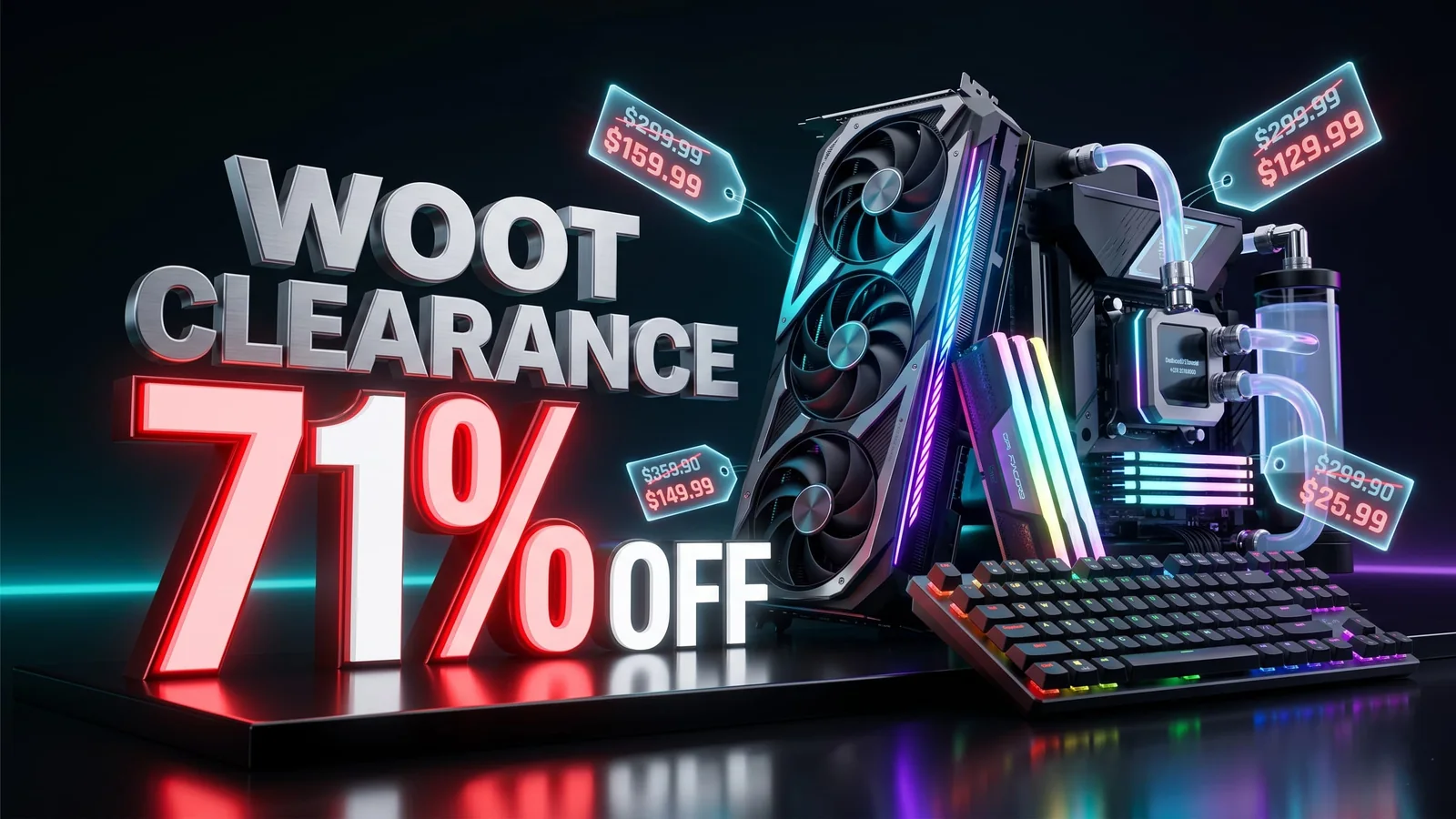
Woot PC Clearance Sale Cuts Up to 71% Off Gaming Hardware
Woot’s PC clearance sale is live with up to 71% off select gaming hardware, including CPU coolers, PC cases, fans, keyboards, and more. Here are the best deals to check before stock changes.

War Thunder Server Maintenance Notice (June 9th): What Players Should Check Before Changing Settings
War Thunder players may be affected by a fresh service update. Here is what to check first, what could be affected, and when to wait before changing settings.
Apex Legends Matchmaking Tests Update: What Players Should Check Before Changing Settings
Apex Legends players may be affected by a fresh service update. Here is what to check first, what could be affected, and when to wait before changing settings.