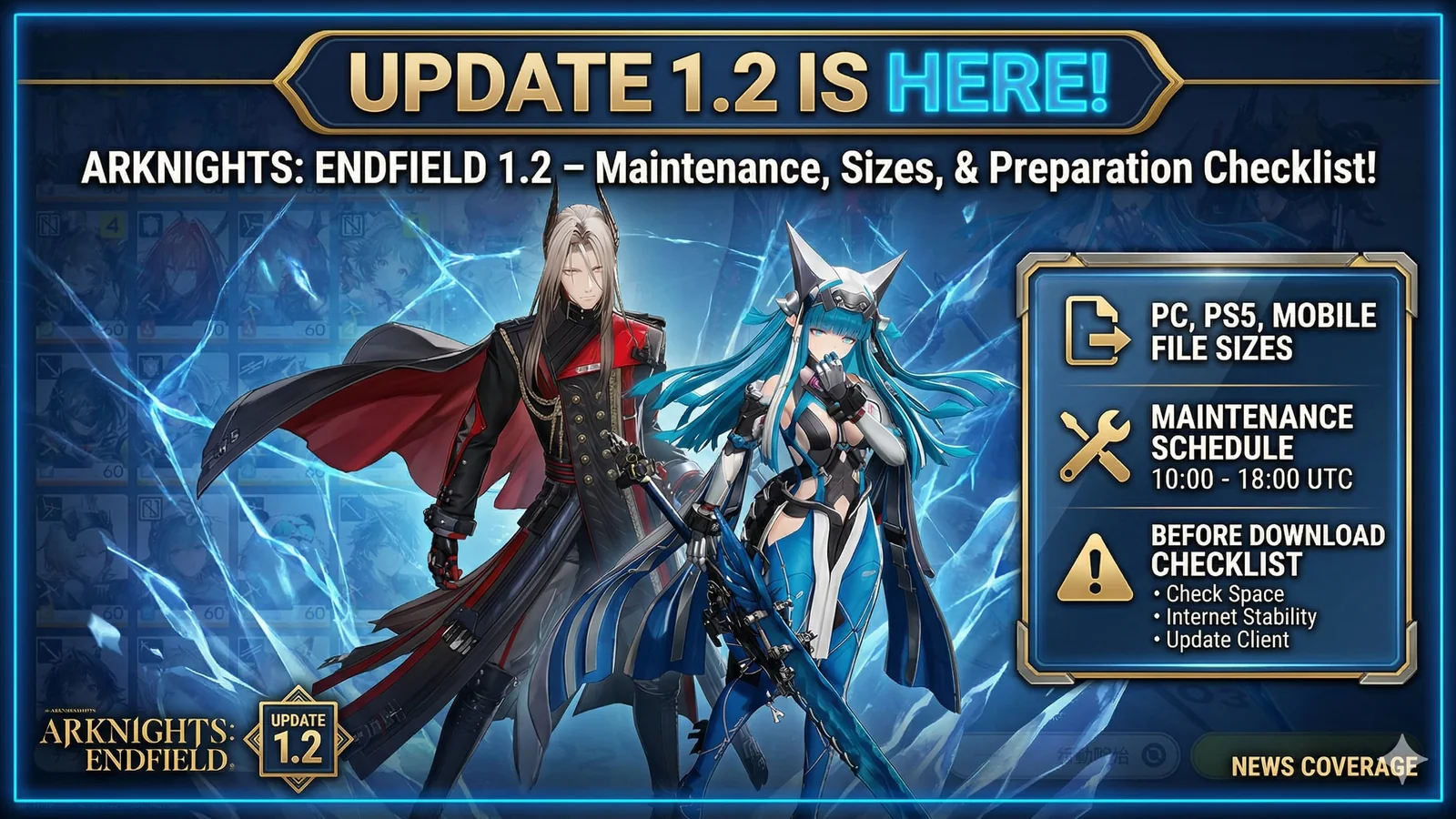
Arknights: Endfield 1.2 Update – File Sizes, Maintenance Times, and What to Know Before Downloading
Arknights: Endfield’s 1.2 update is almost here, and players should prepare for a mandatory client update, long maintenance, and a surprisingly large download on PS5 and PC. Here is what to know before the patch goes live.
Big updates are easier to manage with faster storage and more room for large installs, extraction space, and future patches.
Arknights: Endfield 1.2 is almost here
Arknights: Endfield is getting its 1.2 update, and this is not the kind of patch you want to ignore until the last minute.
The new version, At the Wake of Spring, goes live after scheduled maintenance, and the update is mandatory. That means players will need to update the client before getting back into the game, and for some platforms, the required storage space is much larger than many players expect.
If you plan to jump in as soon as the update lands, the smartest move is to prepare your storage and your download plan ahead of time.
When does Arknights: Endfield 1.2 maintenance start?
The version update maintenance is scheduled for:
- Asia Server: April 17, 2026 from 06:00 to 12:00 (UTC+8)
- Americas / Europe Server: April 16, 2026 from 17:00 to 23:00 (UTC-5)
During this period, you will not be able to log into the game.
That makes this more than a normal background patch. If you were planning to play around the maintenance window, it is better to expect downtime and prepare for the new client update instead of assuming a quick restart will solve it.
This is a mandatory client update
One of the most important details is that the update is mandatory.
Once maintenance is complete, players will need to re-download the game client. The official notice also recommends using a stable Wi-Fi connection because of the large download size, which already tells you this is a much heavier update than a routine small patch.
For players on limited storage or slower connections, that warning matters.
Arknights: Endfield 1.2 file sizes
Here are the official storage requirements listed for the update:
- iOS: 7GB download, plus an additional 7GB free for extraction
- Android: 7GB download, plus an additional 7GB free for extraction
- PlayStation 5: 40GB download, plus an additional 55GB free for extraction
- PC: 11GB download, plus an additional 15GB free for extraction
The official update notice also specifically says that PC players should install the game on an SSD for a better gaming experience.
That is the detail most players should not overlook. The download size is one thing, but the extraction requirement is where storage problems usually start.
Why the PS5 and PC requirements matter most
Mobile players still need to be prepared, but the biggest shock here will probably hit PS5 and PC users.
On PS5, the download itself is already large, and the extra free space required for extraction pushes the real storage demand much higher than the headline number suggests. On PC, the patch is smaller, but the official SSD recommendation is a sign that the update is meant to run best on faster storage.
For players with crowded libraries, this is exactly the type of update that turns into a last-minute storage problem if you do not prepare early.
What is new in Version 1.2?
The 1.2 version is titled At the Wake of Spring, and it launches on April 17. Official communications around the update highlight major optimizations and adjustments, especially across factory systems, progression flow, combat readability, controller customization, and other quality-of-life improvements.
Some of the more useful changes include:
- one-click collection and production help through the new Control Nexus Task feature
- easier resource collection from Level 4 Recycling Stations
- better region filtering in Depot Node
- map and conduit layout improvements for the Core AIC Area
- a boss timer in RE-Crisis
- an on-screen duration prompt for ultimates
- batch gear assembly
- faster material navigation
- controller button customization improvements
- easier reward claiming in training systems
This means the update is not only about story progress or banners. It also tries to make regular play feel smoother in the systems players use most often.
Progression and reward upgrades are part of the patch too
Version 1.2 also adds more ways to obtain Sanity Usage Permits, introduces an Operator Progression Booster event, and reworks the value around the Monthly Pass with additional rewards.
There is also a special Pristine Monthly Pass Tribute event running until May 18, 2026 at 04:00 server time, with daily login rewards that include Oroberyl, Emergency Sanity Boosters, and Sanity Usage Permits.
For players who care about progression efficiency, these changes may matter just as much as the headline content.
Don’t miss the maintenance compensation
Players who created a character before the update will receive Oroberyl ×900 as update and maintenance compensation.
That reward will be sent through in-game mail after the maintenance is completed. As always, it is better to claim it on time instead of forgetting it in your mailbox.
Best way to prepare before the update goes live
If you want the smoothest possible return when Version 1.2 opens, do this before the maintenance window:
- clear enough storage space in advance
- avoid relying on unstable mobile data for the download
- make sure your platform can handle both the download and the extraction space
- update as soon as maintenance ends instead of waiting for a crowded rush later
- use faster storage if you are on PC and want a smoother experience
These steps are simple, but they save a lot of frustration once the update goes live.
Should you worry about storage right now?
Yes, especially if you play on PS5 or keep a full PC library installed.
The storage requirements here are large enough that this update should be treated as a preparation issue, not only a patch-note issue. If your console or drive is already close to full, handling that problem early is much easier than trying to solve it when the update is already live.
Final takeaway
Arknights: Endfield 1.2 is shaping up to be a meaningful version update, but the most important thing for many players is not the trailer or the banner discussion. It is simply being ready.
This is a mandatory patch, it comes with long maintenance, and the storage demands are significant enough to matter. If you prepare now, the update feels straightforward. If you wait until the last second, it is much easier to run into delays, extraction errors, or not enough free space.
FAQ
When does Arknights: Endfield 1.2 launch?
The new version goes live after scheduled maintenance, with the update officially tied to April 17, 2026.
Is Arknights: Endfield 1.2 a mandatory update?
Yes. The official notice says this is a mandatory client update.
How big is the Arknights: Endfield 1.2 update on PS5?
The official requirement is a 40GB download plus an additional 55GB of free storage for extraction.
How big is the Arknights: Endfield 1.2 update on PC?
The official requirement is an 11GB download plus an additional 15GB of free storage for extraction.
Does the game recommend an SSD?
Yes. The official notice specifically says to install the PC version on an SSD for a better gaming experience.
What compensation do players get?
Eligible players will receive Oroberyl ×900 after the update and maintenance.
Related paths
Recommended paths
Recommended next steps
Continue with useful related pages selected for this article.
High-Speed SSD Upgrade Pick
Big updates are easier to manage with faster storage and more room for large installs, extraction space, and future patches.
Halo Campaign Evolved game hub
Continue into the Shooter game hub for related coverage, deals, and fixes.
Halo Campaign Evolved updates and patch notes
Use the patch notes hub to follow recent updates, hotfixes, and game changes.
Server Status Hub
Check common service issues before changing settings or reinstalling a game.
Latest game updates
Follow recent patches, hotfixes, update notes, and player-facing changes.
Error Code Checker
Look up connection, launcher, anti-cheat, console, and multiplayer error fixes.
Check whether your PC is ready for Halo Campaign Evolved
Compare your setup with available PC requirements before you install, buy, or upgrade.
Continue Exploring
Choose another useful Primvo section when you want more context, deals, guides, or game pages.
Error Code Checker
Look up connection, crash, launcher, console, and multiplayer error codes.
Server Status
Check common service issues before changing settings or reinstalling a game.
Gear
Explore setup picks and accessories that can improve comfort and stability.
Deals
Find current offers, bundles, and useful digital picks.
Related Games
View all games
Halo Campaign Evolved
Halo Campaign Evolved is an upcoming game tracked for 28 Jul 2026, with PC, PlayStation 5, Xbox Series S/X availability signals and useful launch-day next steps.

Truxton Extreme
Truxton Extreme is an upcoming game tracked for 29 Jul 2026, with PC, Xbox Series X|S, Nintendo Switch 2, PC (Microsoft Windows) availability signals and useful launch-day next steps.
Mistfall Hunter
Mistfall Hunter is an upcoming game tracked for 29 Jul 2026, with Xbox Series X|S, PC (Microsoft Windows), PlayStation 5 availability signals and useful launch-day next steps.
Keep Reading
Open everything
War Thunder Server Maintenance Notice (June 9th): What Players Should Check Before Changing Settings
War Thunder players may be affected by a fresh service update. Here is what to check first, what could be affected, and when to wait before changing settings.
Apex Legends Matchmaking Tests Update: What Players Should Check Before Changing Settings
Apex Legends players may be affected by a fresh service update. Here is what to check first, what could be affected, and when to wait before changing settings.

Switch 2 Digital Games Can Cost Less Than Physical Copies
Nintendo’s Switch 2 pricing change means some digital games can cost less than physical copies, starting with Yoshi and the Mysterious Book. Here’s what it means for buyers, collectors, and anyone trying to save money.

Woot PC Clearance Sale Cuts Up to 71% Off Gaming Hardware
Woot’s PC clearance sale is live with up to 71% off select gaming hardware, including CPU coolers, PC cases, fans, keyboards, and more. Here are the best deals to check before stock changes.