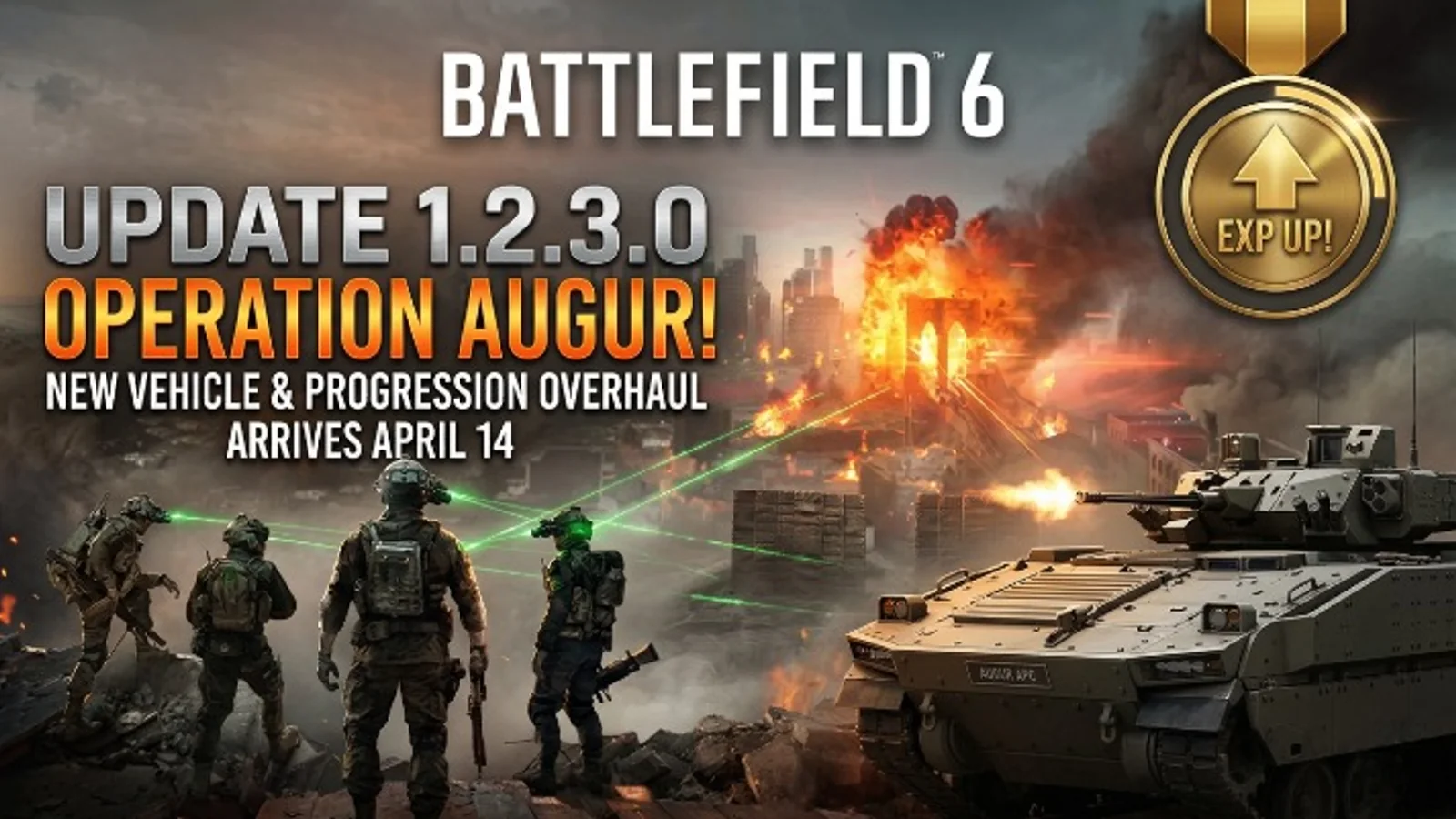
Battlefield 6 Update 1.2.3.0 Arrives April 14 With Operation Augur, New Vehicle, and Progression Changes
Battlefield 6 update 1.2.3.0 goes live on April 14 and adds the Operation Augur limited-time mode, the LTV vehicle, the Ripper 14 weapon, a new REDSEC training path, and several progression and gameplay improvements.
Updated 136 days ago. Server notices can affect logins, matchmaking, downloads, store access, and party systems.
What happened
EA has officially detailed Battlefield 6 Update 1.2.3.0, and it is one of the more meaningful recent updates for the game.
The patch goes live on April 14, with the download becoming available at 09:00 UTC and the update’s gameplay content going live at 12:00 UTC across all platforms.
Why it matters
This is not just a maintenance patch. Update 1.2.3.0 adds new playable content while also improving progression, match rewards, UI, audio, and mode balance.
That makes it the kind of update players should actually pay attention to, especially if they are still playing regularly or were waiting for a better reason to jump back in.
What is included in the update
According to EA’s official notes, the main additions in Update 1.2.3.0 are:
- Operation Augur, a new limited-time mode
- LTV, a new frontline support vehicle
- Ripper 14, a new close-quarters weapon
- Hazmat Breacher, a new REDSEC Battle Royale training path for the Assault class
- a new Battle Pass Bonus Path
Operation Augur explained
The headline feature here is Operation Augur, a limited-time battle fought across Contaminated and Hagental Base.
EA describes it as a two-phase conflict where teams move from one map into the next, starting with open frontline pressure and then shifting into tighter close-quarters fighting inside Hagental Base.
That gives the update a stronger hook than a simple balance pass. It adds an actual event-style reason for players to log in.
Other major gameplay changes
EA also says the patch improves how progression feels across the game.
The official notes highlight:
- Weapon XP and Vehicle XP earned through active use as well as kills and assists
- slightly higher XP rates across multiplayer
- progression changes in Battle Royale and Gauntlet
- loot-flow adjustments
- challenge tracking and objective progression improvements
- UI, audio, and Portal polish
That combination matters because it improves both the content side and the long-session play feel.
What players should know before April 14
The most useful practical details are simple:
- Patch download time: 09:00 UTC
- Content live time: 12:00 UTC
- Platforms: all platforms
- Best reason to check in: Operation Augur plus progression improvements
If you are planning to return to Battlefield 6 this week, this is clearly the update window to watch.
Final takeaway
Battlefield 6 Update 1.2.3.0 looks like a real content drop, not a filler patch.
With Operation Augur, the LTV, the Ripper 14, a new REDSEC training path, and broader progression improvements, April 14 now looks like one of the better recent re-entry points for players who want a fresh reason to jump back in.
Related paths
Recommended paths
Recommended next steps
Continue with useful related pages selected for this article.
Lost Ark game hub
Continue into the RPG game hub for related coverage, deals, and fixes.
Lost Ark updates and patch notes
Use the patch notes hub to follow recent updates, hotfixes, and game changes.
Latest game updates
Follow recent patches, hotfixes, update notes, and player-facing changes.
War Thunder Server Maintenance Notice (June 9th): What Players Should Check Before Changing Settings
Continue with a related related selected from Primvo's connected coverage.
Apex Legends Matchmaking Tests Update: What Players Should Check Before Changing Settings
Continue with a related related selected from Primvo's connected coverage.
Check whether your PC is ready for Lost Ark
Compare your setup with available PC requirements before you install, buy, or upgrade.
Minecraft Bedrock 26.20 Update Adds Sulfur Cubes and Party System
Continue with a related guide selected from Primvo's connected coverage.
Continue Exploring
Choose another useful Primvo section when you want more context, deals, guides, or game pages.
Error Code Checker
Look up connection, crash, launcher, console, and multiplayer error codes.
Server Status
Check common service issues before changing settings or reinstalling a game.
battlefield 6
Continue through related games and connected player pages.
Guides
Keep reading with useful walkthroughs, settings help, and fixes.
Related Games
View all games
Lost Ark
Lost Ark update hub with patch notes, PC requirements, deal paths, and player tools.

Halo Campaign Evolved
Halo Campaign Evolved is an upcoming game tracked for 28 Jul 2026, with PC, PlayStation 5, Xbox Series S/X availability signals and useful launch-day next steps.

Truxton Extreme
Truxton Extreme is an upcoming game tracked for 29 Jul 2026, with PC, Xbox Series X|S, Nintendo Switch 2, PC (Microsoft Windows) availability signals and useful launch-day next steps.

Lily Fantasia
Lily Fantasia is an upcoming game tracked for 29 Jul 2026, with Linux, PC (Microsoft Windows), Mac, Nintendo Switch availability signals and useful launch-day next steps.
Keep Reading
Open everything
Minecraft Bedrock 26.20 Update Adds Sulfur Cubes and Party System
Minecraft Bedrock 26.20 is live with Chaos Cubed experimental features, including Sulfur Cubes, Sulfur Springs, Potent Sulfur, Sulfur Caves, the new Party System beta, and Realm Hub changes.

War Thunder Server Maintenance Notice (June 9th): What Players Should Check Before Changing Settings
War Thunder players may be affected by a fresh service update. Here is what to check first, what could be affected, and when to wait before changing settings.
Apex Legends Matchmaking Tests Update: What Players Should Check Before Changing Settings
Apex Legends players may be affected by a fresh service update. Here is what to check first, what could be affected, and when to wait before changing settings.