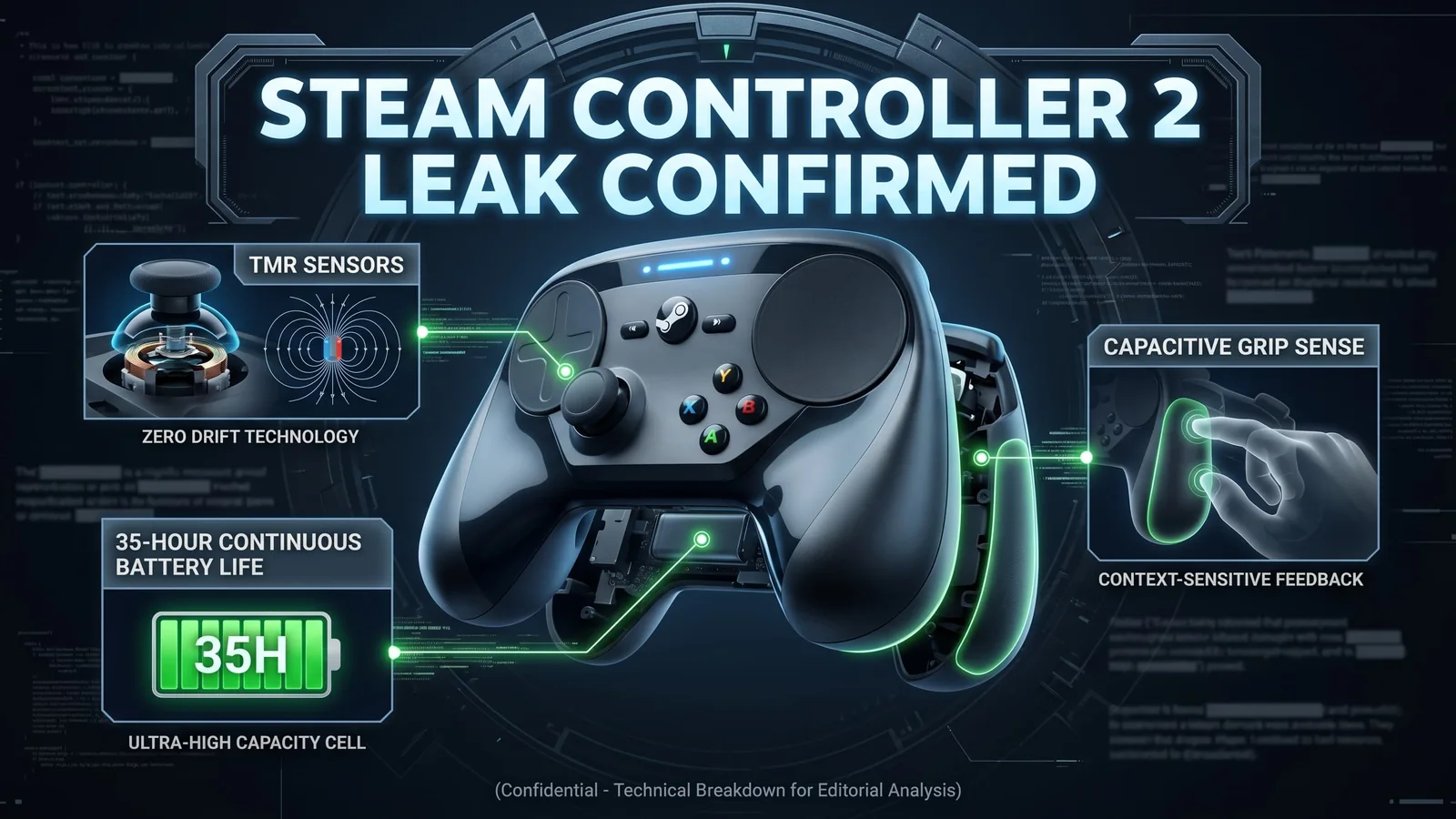
Steam Controller 2 Leak Confirms TMR Sticks, Grip Sense, and 35-Hour Battery
Valve’s next Steam Controller is back in the spotlight after new listing details pointed to TMR magnetic sticks, Grip Sense controls, haptic trackpads, and more than 35 hours of battery life.
Our top pick for the best gaming keyboard under $100 in 2026. Gasket mount + hot-swap + wireless in one package.
Valve’s next Steam Controller is starting to look less like a simple follow-up and more like a serious attempt to fix the biggest complaints players had with the original model.
A new listing has pushed the upcoming Steam Controller back into the spotlight, showing a hardware package built around TMR magnetic thumbsticks, Grip Sense, dual haptic trackpads, a Steam Controller Puck, and a claimed 35+ hours of battery life.
That combination matters because this is not just another PC gamepad. Valve appears to be building a controller designed for Steam Deck users, couch PC gaming, Steam Machine setups, and players who want mouse-like precision without giving up the comfort of a traditional controller.
What the Steam Controller 2 listing shows
The most important listed features include:
- Dual full-size TMR magnetic thumbsticks
- Capacitive touch on the sticks
- Grip Sense control areas on the back handles
- Two square haptic trackpads
- Four assignable grip buttons
- 6-axis motion controls
- USB-C wired play and charging
- Bluetooth support
- Steam Controller Puck wireless connection
- Magnetic charging through the Puck
- 35+ hours of battery life
- 292g controller weight
For PC players, the biggest headline is clearly the move to TMR sticks. Stick drift has become one of the most frustrating problems with modern controllers, and Valve seems to be positioning this model as a more durable, more precise option for long-term Steam players.
Why TMR thumbsticks matter
TMR stands for Tunneling Magnetoresistance. In simple terms, TMR sticks use magnetic sensing instead of relying on the same kind of physical contact found in older analog stick designs.
That matters because traditional stick mechanisms can wear down over time. When that happens, players start seeing drift: the camera moves by itself, characters walk without input, or aiming becomes unstable.
TMR magnetic sticks are designed to reduce that risk by reading movement through magnetic fields. For players who use a controller every day — especially for shooters, racing games, action RPGs, and Steam Deck-style play — this could be one of the most important upgrades in the new Steam Controller.
This also gives Valve a stronger answer to modern premium controllers from Xbox, PlayStation, 8BitDo, GameSir, and other PC controller brands.
Grip Sense could be the hidden killer feature
TMR sticks will get the most attention, but Grip Sense may be the feature that changes how the controller actually feels in games.
The listed design includes capacitive sensing areas on the back of the handles. That means the controller can detect when the player is holding or touching specific grip zones.
The practical use is simple: Grip Sense can help activate motion aiming only when you want it.
For example, in a shooter, you could aim normally with the stick, then use gyro controls for small precision movements when your hands engage the grip. That gives players more control without forcing motion aiming to stay active all the time.
This could make the Steam Controller 2 especially interesting for:
- First-person shooters
- Third-person shooters
- Survival games
- Action RPGs
- Steam Deck players used to gyro aiming
- PC players who want mouse-like precision from the couch
If Valve gets the feel right, Grip Sense could become one of the strongest reasons to choose this controller over a standard Xbox-style gamepad.
The trackpads are still here
Valve has not abandoned one of the original Steam Controller’s most unusual ideas: trackpads.
The new model includes two square haptic trackpads, with pressure-sensitive clicking and haptic feedback. That is important because trackpads are what made the first Steam Controller unique.
For games that were never designed around a controller, trackpads can help with camera movement, cursor control, strategy games, menus, inventory management, and mouse-heavy PC titles.
This makes the new Steam Controller more than a normal gamepad. It is closer to a hybrid input device: part controller, part Steam Deck input layout, part couch-friendly mouse alternative.
That could be a big deal for players who use Steam Big Picture Mode, Steam Deck docking setups, or a living room PC.
Battery life and charging
The listing points to an 8.39 Wh Li-ion battery with 35+ hours of gameplay. That is a strong number if it holds up in real use.
The controller also supports charging through USB-C, but the more interesting detail is the Steam Controller Puck. The Puck works as a wireless receiver and also doubles as a magnetic charging interface.
That means Valve is not only trying to build a controller for Steam — it is trying to build a complete living room setup. You play wirelessly, drop the controller on the Puck, and keep it ready for the next session.
The listed Puck details also mention low-latency wireless play, which should matter for players who do not want Bluetooth lag in faster games.
Steam Deck and Steam Machine players may benefit most
The new Steam Controller looks like it was built to fit Valve’s wider hardware ecosystem.
It shares ideas with the Steam Deck: trackpads, gyro, Steam Input flexibility, extra grip buttons, and deep PC-game compatibility. That means players who already use a Steam Deck may find the layout more familiar than a standard Xbox controller.
The controller is also expected to work across Steam-supported devices, including PCs, handhelds, Steam Link setups, and living room setups built around Steam.
For anyone who wants to dock a Steam Deck or play Steam games on a TV, this controller could become the most natural companion device.
Is this better than a normal Xbox or PlayStation controller?
For simple plug-and-play gaming, many players will still be happy with an Xbox Wireless Controller, DualSense, or other standard PC gamepad.
But the Steam Controller 2 appears to target a different type of player.
This is for people who want:
- Better PC game compatibility
- More input customization
- Trackpads for mouse-style control
- Gyro aiming
- Anti-drift magnetic sticks
- Extra rear buttons
- A controller built around Steam Input
That makes it more advanced, but also potentially more complicated. The original Steam Controller had powerful ideas, but not every player wanted to learn them. This new model looks like Valve is trying to keep the advanced features while making the layout more familiar.
The addition of two normal thumbsticks is a major improvement compared to the original model.
Should you wait for the Steam Controller 2?
If you already own a good PC controller and only play standard controller-friendly games, you may not need to rush.
But if you are dealing with stick drift, play a lot of Steam games from the couch, use a Steam Deck docked to a TV, or want a controller with trackpads and gyro aiming, this is one of the most interesting PC controllers to watch.
The key features to watch before launch are:
- Final price
- Real battery performance
- Comfort in long sessions
- How well Grip Sense works
- Steam Input profile support
- Availability by region
- Replacement parts and repairability
For now, the listed specs make the Steam Controller 2 look like a serious upgrade — not just over the original Steam Controller, but over many standard PC gamepads.
Final take
The Steam Controller 2 is shaping up to be one of Valve’s most important hardware accessories in years.
The combination of TMR magnetic sticks, Grip Sense, haptic trackpads, gyro controls, four rear buttons, and 35+ hours of battery life gives it a clear identity: this is a controller made for Steam power users, Steam Deck owners, and PC players who want more than a basic gamepad.
If Valve gets the ergonomics and price right, this could become the best controller for people who want console comfort with PC-level control.
Gaming gear buying checklist
Clear chat, stronger positional sound, and more comfortable long sessions.
Compare gaming headsets
Look at comfort, microphone quality, wireless latency, and platform support before choosing.
Browse helpful setup guides
Pair audio upgrades with practical guides for settings, connection stability, and game setup.
Check current game deals
Save on games while planning the setup upgrades that make sense for your library.
What to check before buying
Recommended paths
Helpful setup paths
Compare related setup ideas, game pages, guides, and deals that match this gear topic.
PC games hub
Start from the games library before choosing requirements, deals, updates, or similar games.
Keychron V5 Max – Best Overall Under $100
Our top pick for the best gaming keyboard under $100 in 2026. Gasket mount + hot-swap + wireless in one package.
Steam sale tracker
Track Steam sale paths and compare them with nearby PC game deal options.
Halo Campaign Evolved game hub
Continue into the Shooter game hub for related coverage, deals, and fixes.
Steam free games
Check Steam free game opportunities and claimable PC game paths.
Compare gaming gear
Browse useful accessories, storage, controllers, audio, display, and setup upgrades before deciding.
Steam Deck vs gaming laptop
Compare portable PC gaming options before choosing a handheld, laptop, or setup upgrade.
Continue Exploring
Choose another useful Primvo section when you want more context, deals, guides, or game pages.
Related Games
View all games
Halo Campaign Evolved
Halo Campaign Evolved is an upcoming game tracked for 28 Jul 2026, with PC, PlayStation 5, Xbox Series S/X availability signals and useful launch-day next steps.

Truxton Extreme
Truxton Extreme is an upcoming game tracked for 29 Jul 2026, with PC, Xbox Series X|S, Nintendo Switch 2, PC (Microsoft Windows) availability signals and useful launch-day next steps.

Mattami Restaurant & Cafe Tycoon
Mattami Restaurant & Cafe Tycoon is an upcoming game tracked for 29 Jul 2026, with PC (Microsoft Windows) availability signals and useful launch-day next steps.

Powerplay
Powerplay is an upcoming game tracked for 29 Jul 2026, with PC (Microsoft Windows), Mac availability signals and useful launch-day next steps.
Keep Reading
Open everything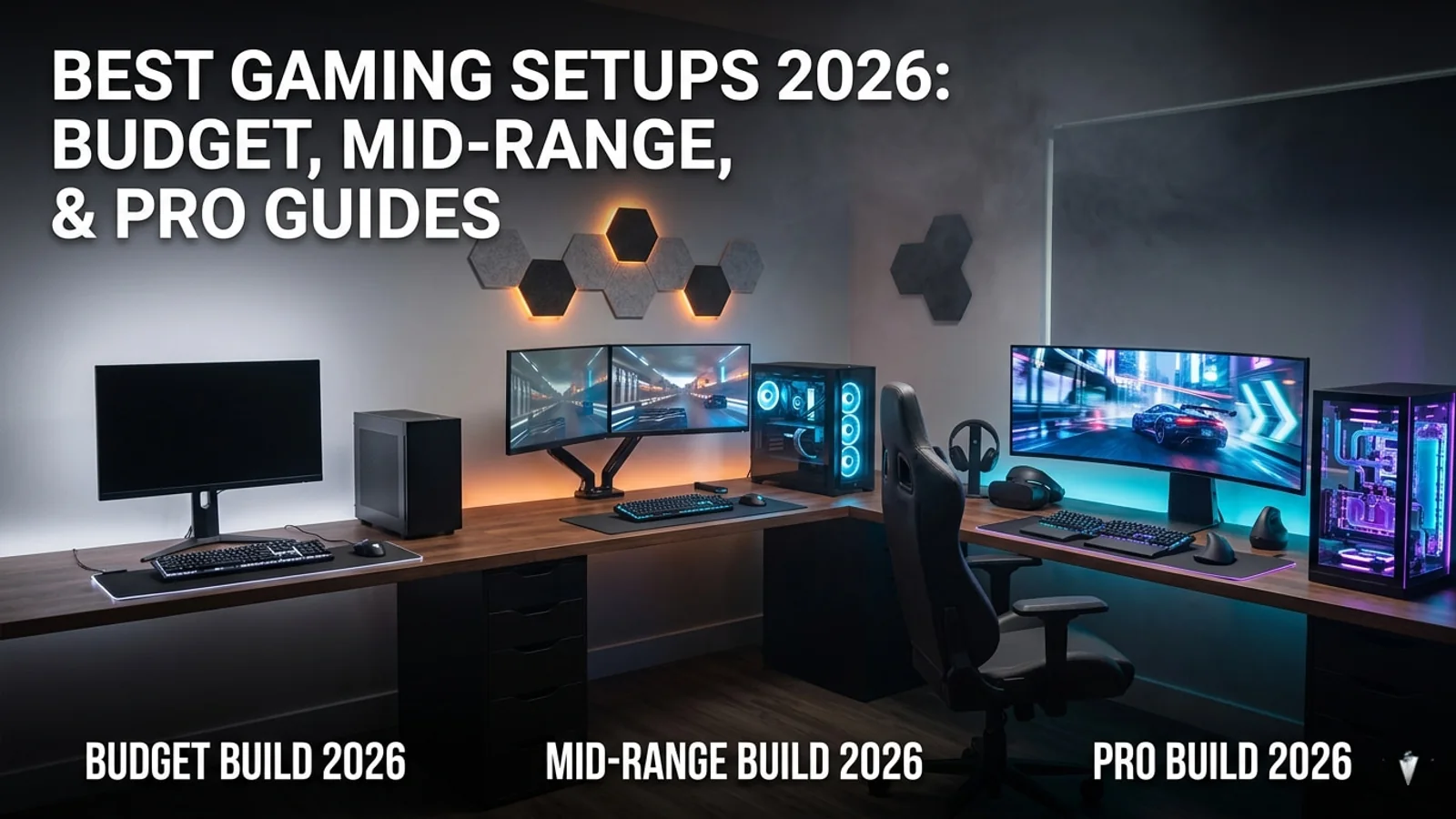
Best Gaming Setup Guide 2026: Budget, Mid-Range, and Pro Builds
This 2026 gaming setup guide helps players choose the right monitor, headset, controller, chair, desk, security tools, and accessories for every budget.

Woot PC Clearance Sale Cuts Up to 71% Off Gaming Hardware
Woot’s PC clearance sale is live with up to 71% off select gaming hardware, including CPU coolers, PC cases, fans, keyboards, and more. Here are the best deals to check before stock changes.

Prime Monster Out Now: The Political Roguelike Drops on Steam
Prime Monster has launched on Steam, giving strategy fans a strange new political roguelike where cards, scandals, monsters, and power plays decide who survives parliament.

Horizon Hunters Gathering Second Playtest: Dates, Sign-Up, PS5 and PC Details
Guerrilla’s Horizon Hunters Gathering gets a second closed playtest from May 22 to May 25, with PS5 and PC access, new Hunters, a playable Episode, and a new region.
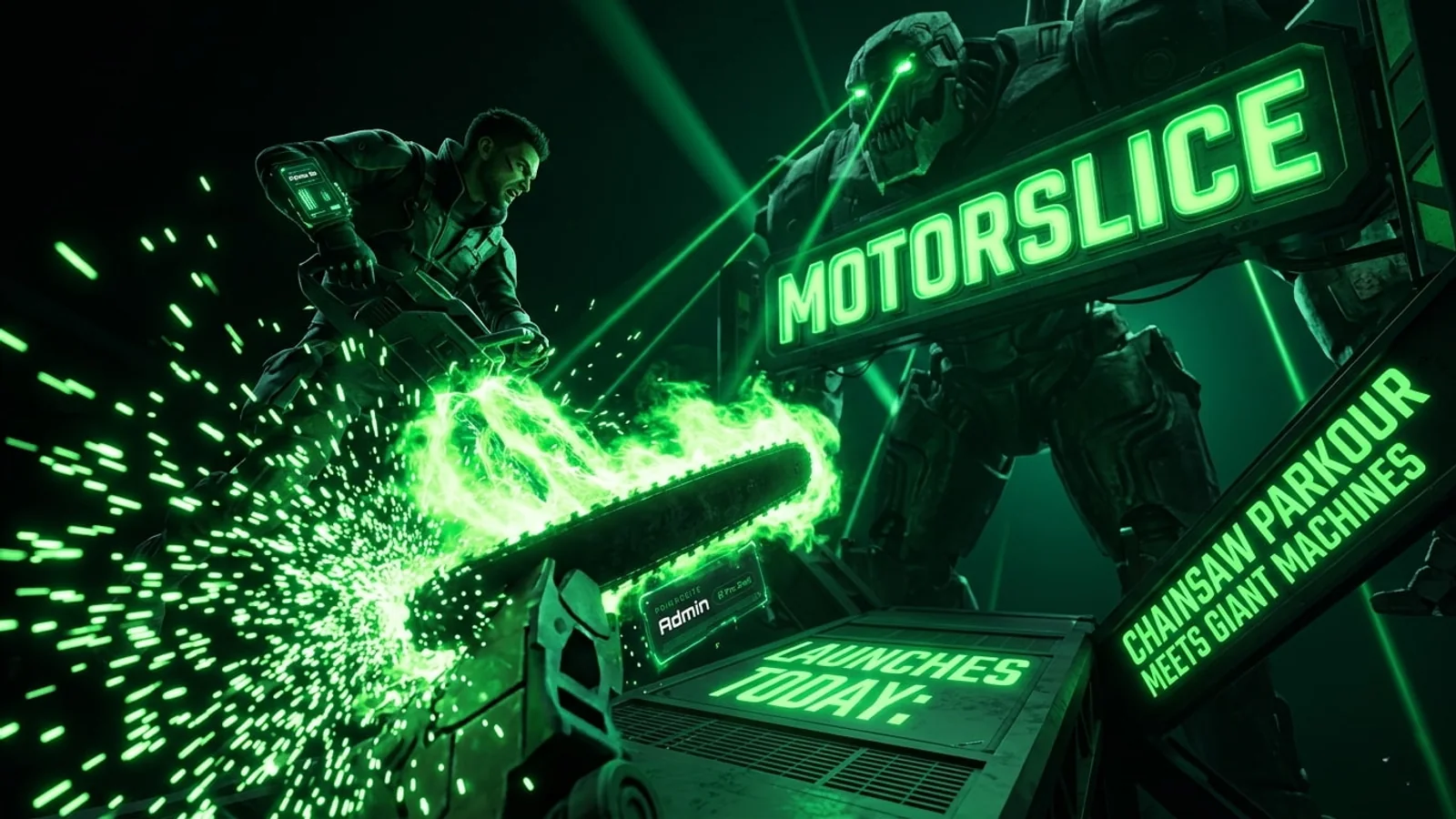
MOTORSLICE Launches Today: Chainsaw Parkour Meets Giant Machine Bosses
MOTORSLICE launches today with a sharp mix of parkour traversal, chainsaw combat, giant construction-machine bosses, and a brutalist post-apocalyptic setting.

Dead as Disco Early Access Launches Today: The Viral Rhythm Fighter Hits Steam
Dead as Disco enters Early Access today with beat-synced combat, custom music support, boss battles, and viral momentum from more than one million demo players.